
Microsoft 365 Copilot
Copilot, set up for the way you work.
Skjld Labs is a Microsoft partner and sets up Copilot Chat, Microsoft 365 Copilot and Copilot Studio, with hands-on training tailored to your tasks.
Book a free callThree variants. We set up all three.
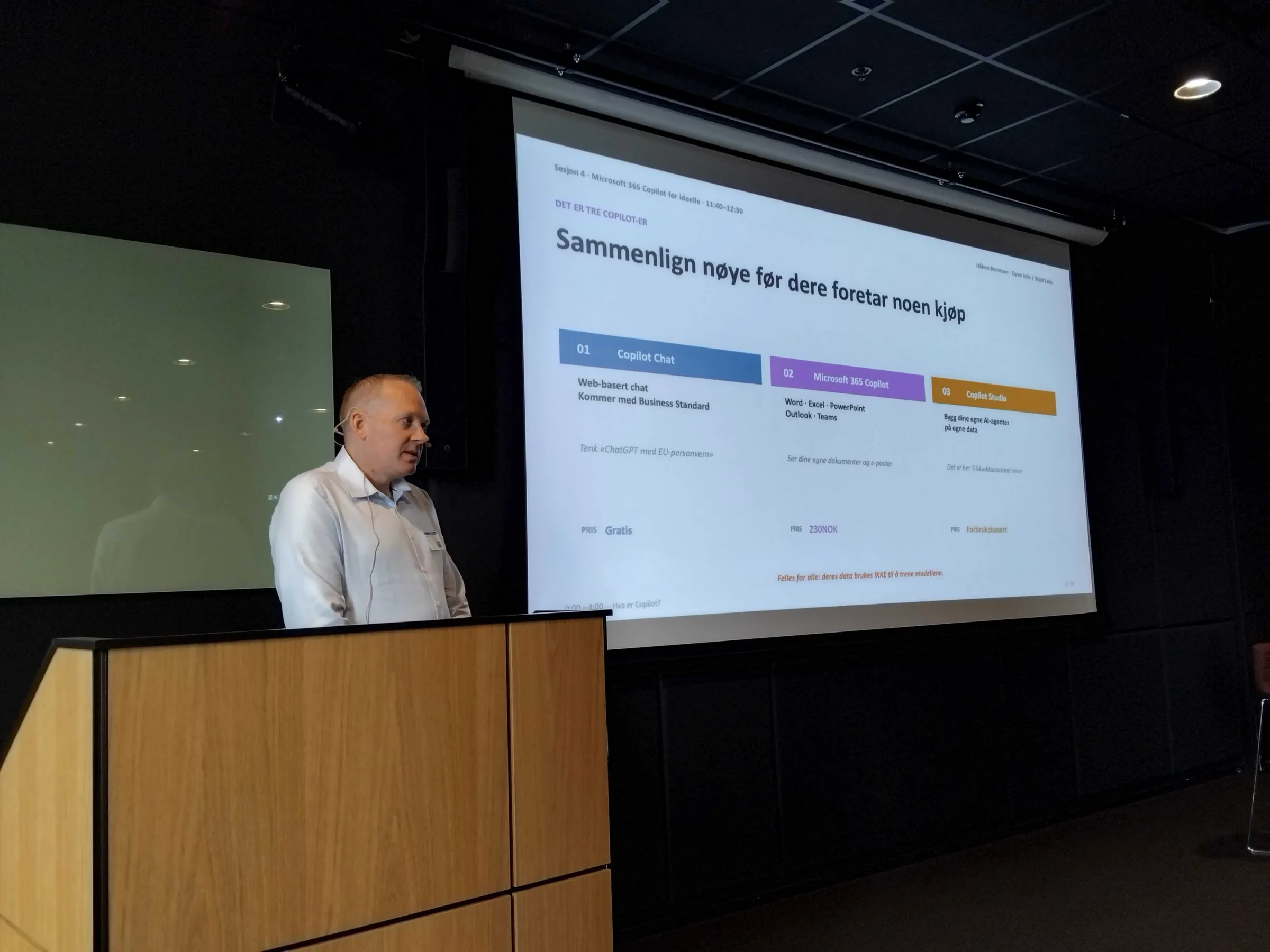
What you need depends on your tasks, not on what is newest.
Copilot Chat
AI chat for the employees in your organisation, for writing, summarising and questions.
Microsoft 365 Copilot
AI in Teams, Outlook, Word and SharePoint. It combines language models with your organisation’s own data and apps, and uses the access rights each employee has.
Copilot Studio
The tool for building your own agents that handle recurring tasks in Microsoft 365, within limits you decide.
Before you buy licences
When Copilot fits, and when something else fits better.
If you have Microsoft 365, Copilot is often a good place to start. If the data must not leave the building, local models may be the better choice. We recommend per task, and we tell you if AI is not the right answer.
- Copilot uses the access rights each employee has, so we review them first
- We recommend per task, and can set up several tools
- Local models when the data must not leave the building
What we do for you.
Read about the agents we buildReview before launch
Before we switch Copilot on, we review access and sharing in SharePoint and Teams, so Copilot does not surface anything it should not.
Setup
Licences, channels, connections and sign-in are set up for your environment.
Copilot agents
We build agents in Copilot Studio for recurring tasks, with agreed limits on what runs automatically.
Training
Hands-on courses and workshops, tailored to your tasks, at our office in Sandefjord or at yours. The courses are held in Norwegian.
Partnership
Microsoft partner, with an AI seminar at Microsoft.
Skjld Labs is a member of the Microsoft AI Cloud Partner Program and handles the setup. On Friday 20 November we hold a free AI seminar for non-profit organisations at Microsoft in Oslo, together with InfoDesk and ALSO, on Copilot and agents in Teams and SharePoint. The seminar is in Norwegian.
Questions about Copilot
What businesses ask us.
What is the difference between Copilot Chat, Microsoft 365 Copilot and Copilot Studio?
Copilot Chat is AI chat for employees. Microsoft 365 Copilot works inside Teams, Outlook, Word and SharePoint, and uses your organisation’s own data. Copilot Studio is used to build your own agents. We set up all three.
Which documents can Copilot see?
Microsoft 365 Copilot uses the access rights each employee has. Anything that is shared too widely today can therefore also turn up in the answers. That is why we review access and sharing in SharePoint and Teams before we switch Copilot on.
Is Copilot the right choice for us?
If you have Microsoft 365, Copilot is often a good place to start. If the data must not leave the building, local models may be the better choice. We recommend per task, and can set up and teach you to use several tools.
Can you build our own Copilot agents?
Yes. We build agents in Copilot Studio that handle recurring tasks, within limits we agree with you.
Do you train our staff?
Yes, with hands-on courses and workshops tailored to your tasks, also at your premises. The courses are held in Norwegian.
What does it cost?
The licences are bought from Microsoft. For setup and training you get a price and an agreed scope after the mapping, before we start. The first conversation is free.
Not sure which Copilot you need? We will work it out together, in 30 minutes.
Book a free call